Select the green area to jump to the corresponding section.
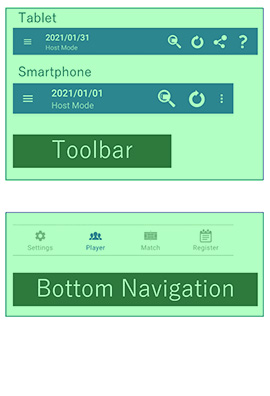
Description of the toolbar icons.
Select the green area to jump to the corresponding section.

Tap an icon to perform the corresponding action.
 :Detailed View
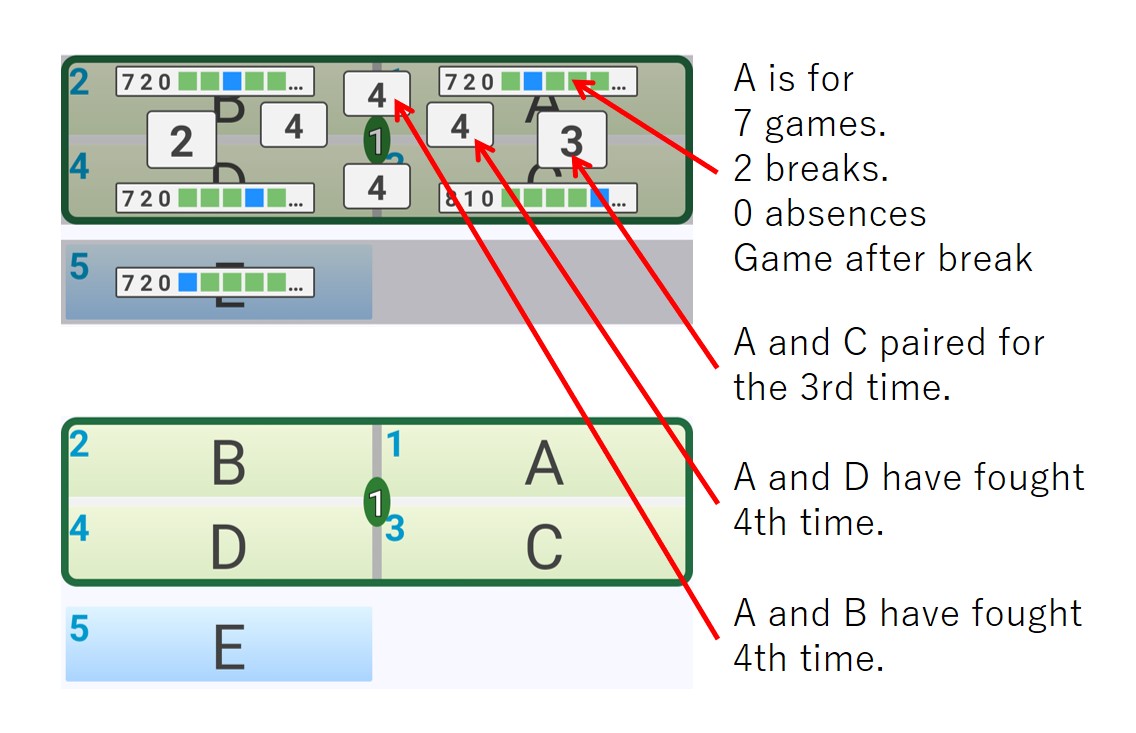
Available only on the Match screen. Shows each player's pairing count, match count, and recent draw results.
 :Synchronization
Appears when you are logged in. Use it to synchronize data with the Host/Player feature: the host uploads data and the players download it.
 :Share
On the Player screen, this shares the player list as text. On the Match screen, it shares the match list as text. On the Register screen, it shares the registered players list in CSV format.
 :Help
:Help
Opens a browser to the help page for the current screen.

Switches between screens. On the Player, Match, and Register screens, tap the active icon again to scroll to the top of the list.
 : Settings
Opens the screen for various settings. For more information, click here.
 : Player
Set up players for the current event and their status (rest, absent, etc.). You can also set the number of courts and participants on this screen. For more information, click here.
 : Match
Displays the draw results. For more information, please click here.
 : Register
Opens the screen for managing the player Register. For more information, please click here.